New AutoCAD MCP: ask Claude about your open drawing

Batch tools for AutoCAD. Whole drawing sets, one run.

Plot, convert, clean up and update hundreds of drawings from one ribbon tab inside AutoCAD, and let Claude work on the drawing you have open.

On the Autodesk Marketplace. Then 99 USD per user per year, AutoCAD MCP included.

  • AutoCAD 2021 to 2027
  • Drawings stay on your PC
  • Digitally signed
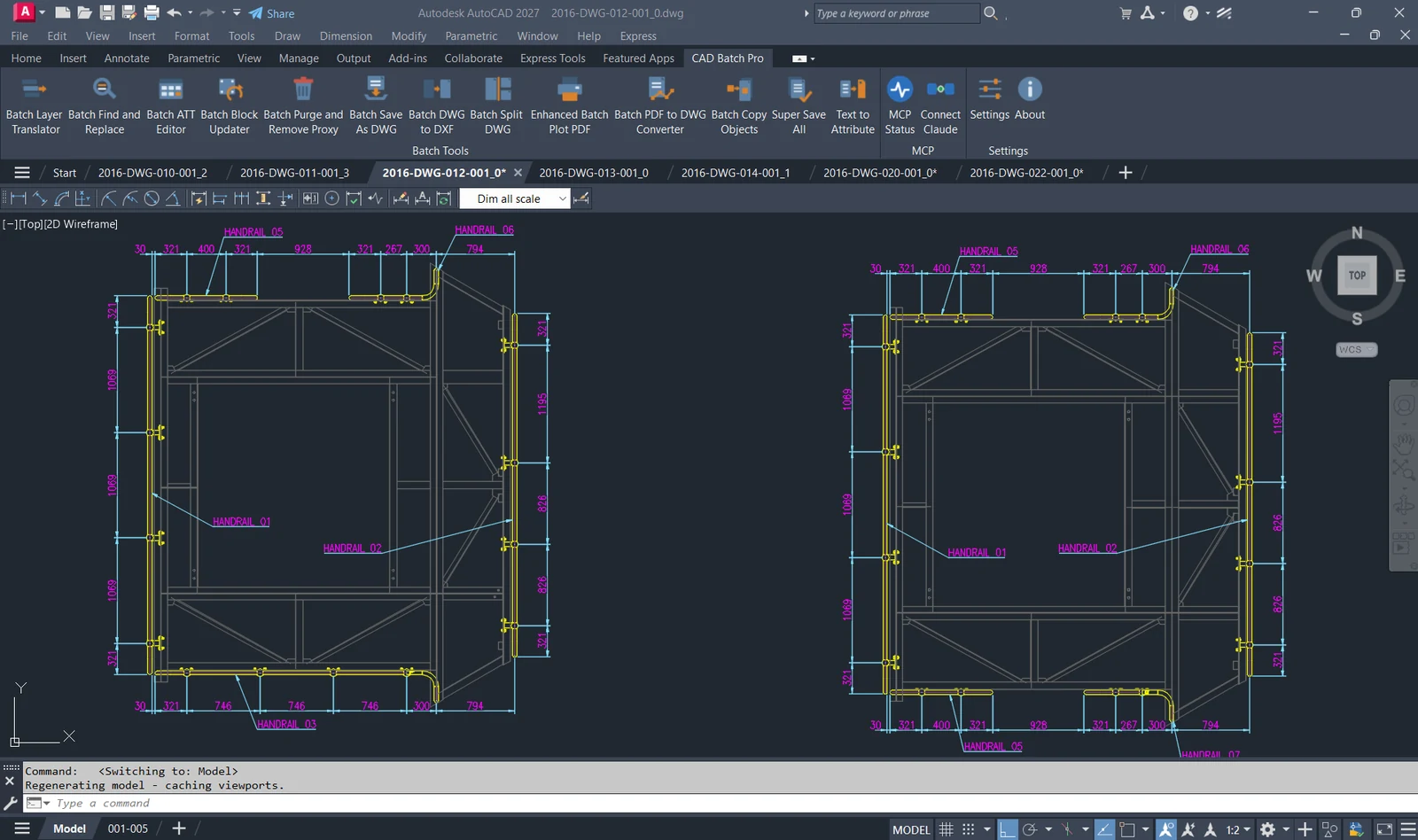
AutoCAD 2027 with a steel drawing open and the CAD Batch Pro ribbon tab selected: thirteen batch tool buttons, an MCP group with MCP Status and Connect Claude, and Settings and About.
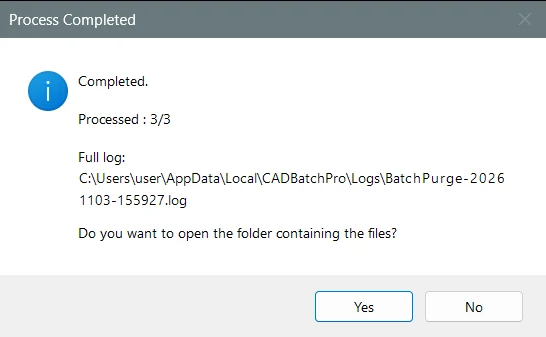
The Process Completed dialog at the end of a batch run: Completed, Processed 3 of 3, and the path of the full log file.
Runs inside
  • AutoCAD
  • Civil 3D
  • Plant 3D
  • Advance Steel
  • Map 3D
  • Electrical
  • Mechanical
  • MEP
How it works

The repetitive part of drawing production, done in one run

Made for CAD managers, drafting teams and engineers who issue drawing sets, not single files.

  1. Pick the drawings

    Any number, from any folders. Drawings open in AutoCAD are processed from a copy.

  2. Set the options once

    Each tool remembers your last settings, and plot and attribute setups can be saved per project.

  3. Run, then read the report

    The batch never stops to ask. Every drawing gets a result, and a full log is kept.

13batch tools on one ribbon tab
90AutoCAD MCP tools for Claude, 35 of them free
7AutoCAD releases, 2021 to 2027
0drawings sent to us. Processing stays on your PC.
Built for real deliverables

The jobs that eat an afternoon, in one window each

BATCHPLOT_PDF

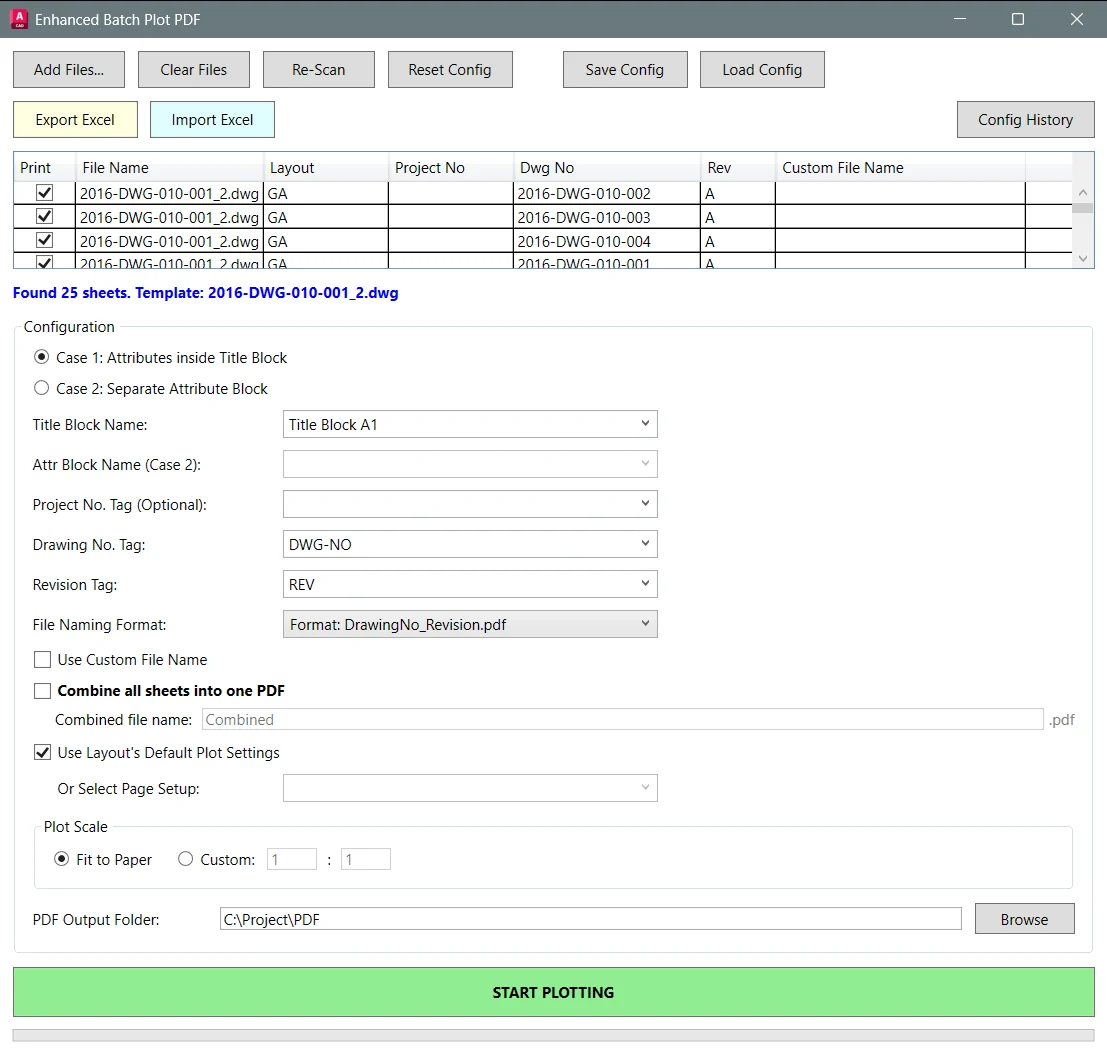
Issue a whole set as PDFs, named from the title block

Every layout of every drawing in one grid, with drawing number and revision read from the title block.

  • One PDF per sheet, or every sheet combined into one
  • Each layout's own plot settings, or one page setup for all
  • Check and fix the file names in Excel before you plot
Enhanced Batch Plot PDF →
The Enhanced Batch Plot PDF window: 25 sheets found, with drawing number and revision columns, title block and tag settings, file naming format, combine into one PDF option and a Start Plotting button.
BATCHEDIT

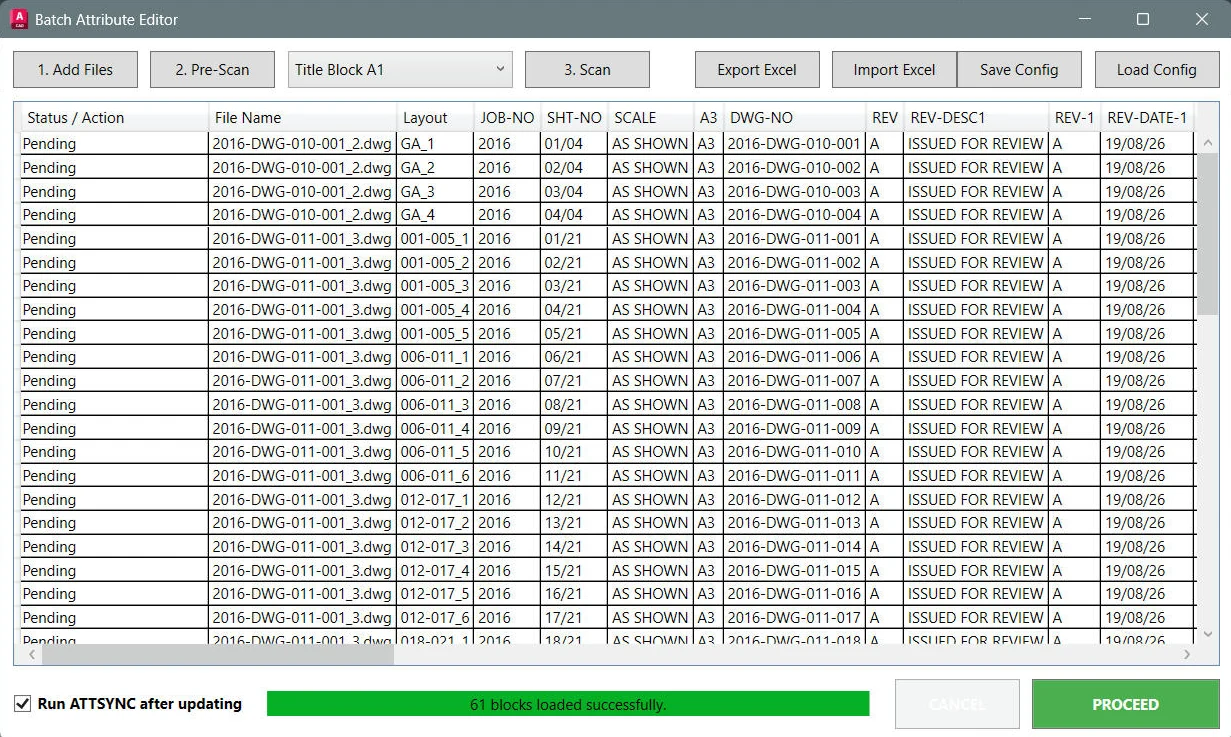
Every attribute of every drawing, in one grid

Set sheet numbers, revisions and dates across a whole issue, or see at a glance which drawings still carry last month's revision.

  • Edit in place, or export to Excel and import the changes back
  • Rows are matched back by handle, so nothing lands in the wrong place
  • Optional ATTSYNC when the block definition changed
Batch ATT Editor →
The Batch Attribute Editor: a grid of title block attributes across several drawings, with file, layout, job number, sheet number, drawing number and revision columns.
BATCHFR

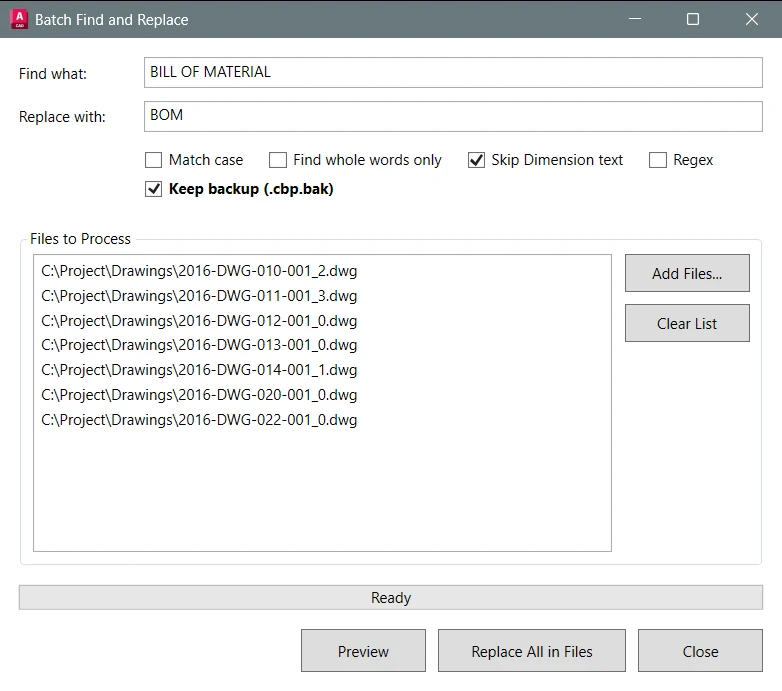
Change text across two hundred drawings, after a preview

Text, MText, attributes, dimension overrides, multileaders and table cells. The preview counts every match before anything changes.

  • Whole words, case and regular expressions
  • Dimension text left alone unless you ask
  • A backup of every drawing changed in place
Batch Find and Replace →
The Batch Find and Replace window: find BILL OF MATERIAL, replace with BOM, matching options and seven drawings listed.
BATCHPURGE

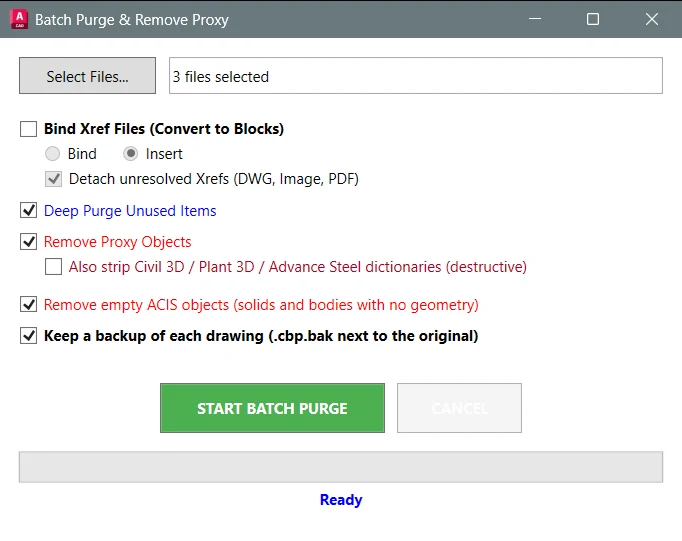
Clean up drawings you received, and make them save again

Deep purge, orphaned proxy objects and the empty ACIS shells that stop a drawing being saved to formats older than 2013.

  • Bind or detach broken xrefs on the way
  • Vertical-product data is only stripped if you confirm
  • A backup next to every drawing
Batch Purge and Remove Proxy →
The Batch Purge and Remove Proxy window with deep purge, remove proxy objects, remove empty ACIS objects and keep a backup ticked.
New in 1.2.0: AutoCAD MCP

Ask Claude about the drawing that is open in AutoCAD

Claude Desktop reads the active drawing and, when you ask, changes it. Included in the same subscription, with no separate price.

90tools in 11 groups, 35 of them free
  • One Ctrl+Z reverts an edit. Erasing, purging, saving or large changes come back as a preview with a one-time confirmation code first, and Claude is told to show it to you.
  • No network port, nothing sent to us. What Claude sees goes to your own Claude account.

Things you can ask

  • Which layers does the active drawing have?
  • List the dimensions whose typed text does not match what they measure.Reads only, free
  • Find every note that says BILL OF MATERIAL and change it to BOM.One Ctrl+Z undoes it
  • Switch to layout A101.
Your drawings come first

Strict rules, the same in every tool

These tools rewrite files you cannot afford to lose, so nothing happens behind your back.

Nothing overwritten silently

A result that would land on an existing file is written alongside as <name>_1.

A backup first

Drawings changed in place keep the previous version as <name>.cbp.bak. AutoCAD's own .bak is never touched.

Your DWG format kept

Output keeps the format the source already used, so a 2013 project set is never upgraded by accident.

Processed on your PC

The batch tools never upload a drawing. Locked files are skipped and reported, never forced.

See it work

Watch a drawing set go out as PDFs

The walkthrough for Enhanced Batch Plot PDF. There is a video for each tool on the YouTube playlist.

Step-by-step workflows →
Play on YouTube
Sold on the Autodesk Marketplace

99 USD per user per year

  • All 13 batch tools
  • AutoCAD MCP for Claude Desktop, at no extra price
  • AutoCAD 2021 to 2027 and AutoCAD-based products
  • E-mail support
Start a free trial
Pricing and questions

One price. Try it first.

Does it need an internet connection?

Only to verify your subscription with Autodesk. If the machine cannot reach Autodesk, the tools keep working for 14 days on the last verified licence.

Is there a key to enter?

No. Sign in to your Autodesk account in AutoCAD and CAD Batch Pro asks Autodesk whether your account is entitled.

Does AutoCAD MCP cost extra?

No. It is part of the same subscription. Reading and inspecting drawings is free.

Does it work in AutoCAD LT?

No. AutoCAD LT cannot load .NET add-ins.

Pricing details →
Free trial

Try it on your own drawings

Install from the Autodesk Marketplace, pick a folder of drawings, and press Run.